.png)
Let clients book themselves, 24/7
Online booking lets your clients request appointments any time, day or night, without a phone call. It's separate from asking Teddy to book for you internally: this is your clients booking on their own.
Give clients a simple way to request appointments online, around the clock, so bookings keep coming in while you're mid-groom or closed. Requests land in your calendar for you to confirm, and Teddy can help manage the flow.
Open around the clock
Clients book when it suits them, no phone tag.
Fewer interruptions
Requests come in without pulling you off a dog.
Right into your book
Bookings flow straight to your calendar.
You stay in control
Review and confirm requests before they're locked in.
Client picks a service & time
They choose what their pet needs and an available slot on your booking page.
The request reaches you
It lands in Teddy. Ask "what booking requests came in?" to review them.
You confirm
Approve the request and the client gets an automated confirmation.
Your shop's own website, included on Core and up
Teddy gives you a Booking Website at no extra charge on Core and up. It's your shop's own website, with your pictures, pricing, contact info, hours, about us and socials. Pick a template and it fills in with your shop's info.
- Pictures
- Pricing
- Contact info
- Hours
- About us
- Socials
No online booking required
You can use your Booking Website without accepting online booking. It works as your shop's website on its own, so clients can see your pictures, prices, hours and how to reach you.
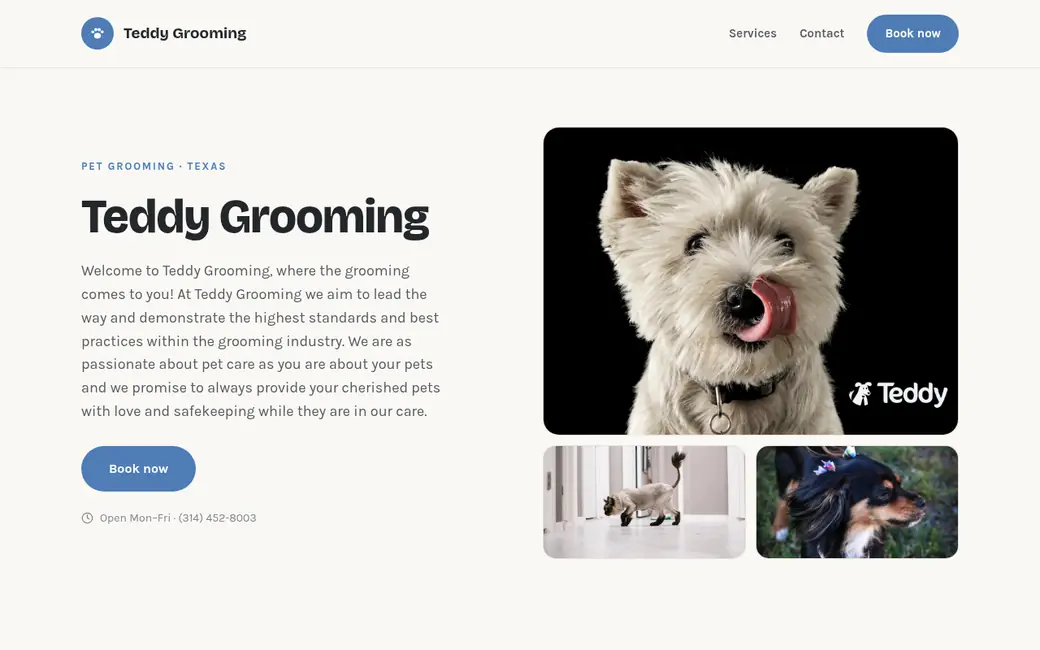
6 designer templates. Switch anytime.
Pick a template, choose 1 of 9 theme colors, and it fills in with your shop's info. You can switch anytime, even after you're live.
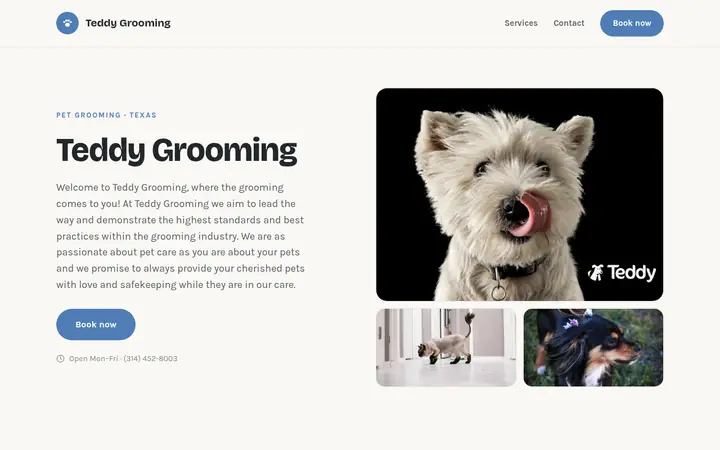
Warm Editorial
Friendly, rounded, cream.
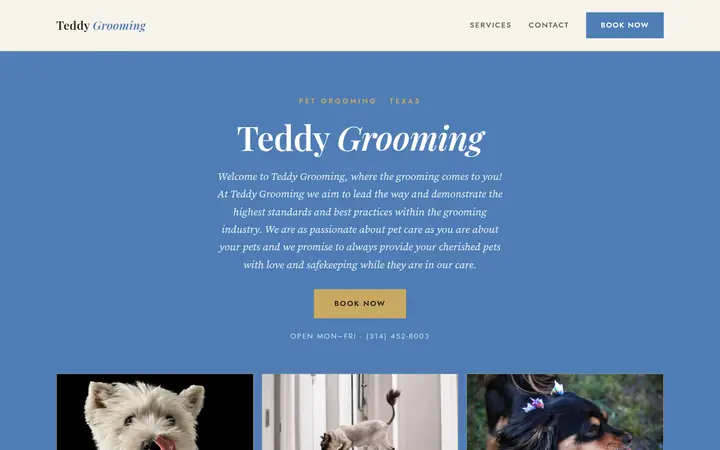
Velvet
Elegant serif, dark bands.
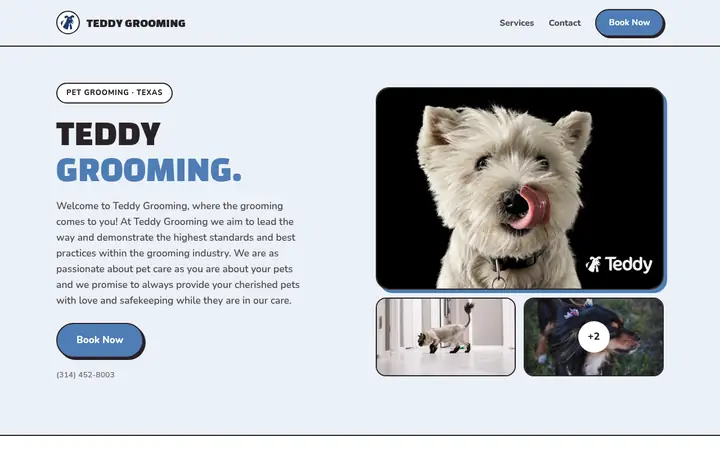
Biscuit
Playful pop, bold outlines.
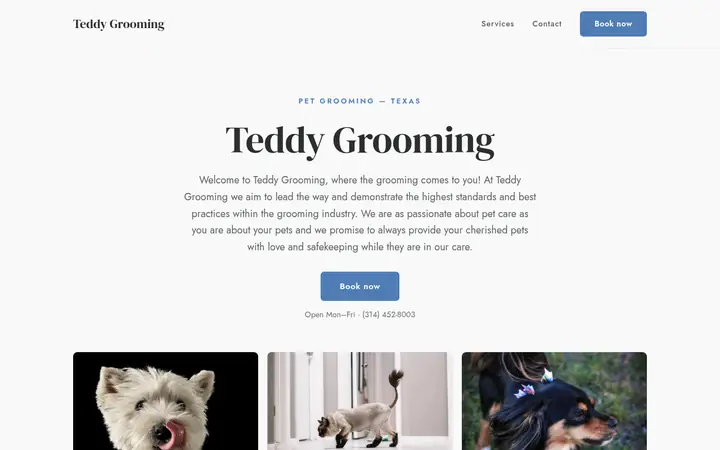
Juniper
Clean, centered, minimal.
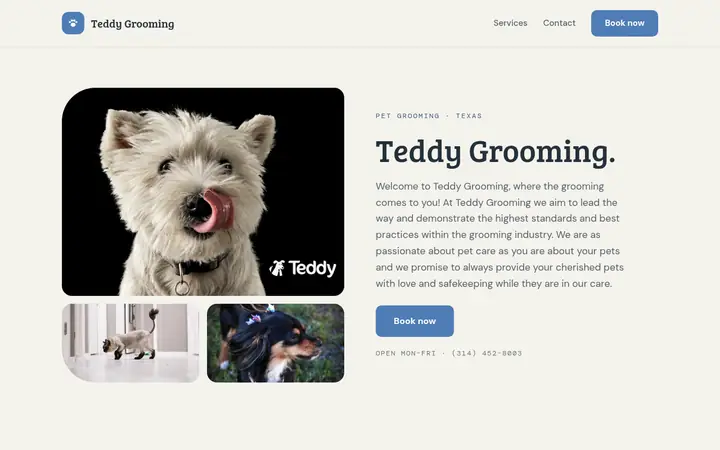
Willow
Photo-first, numbered menu.
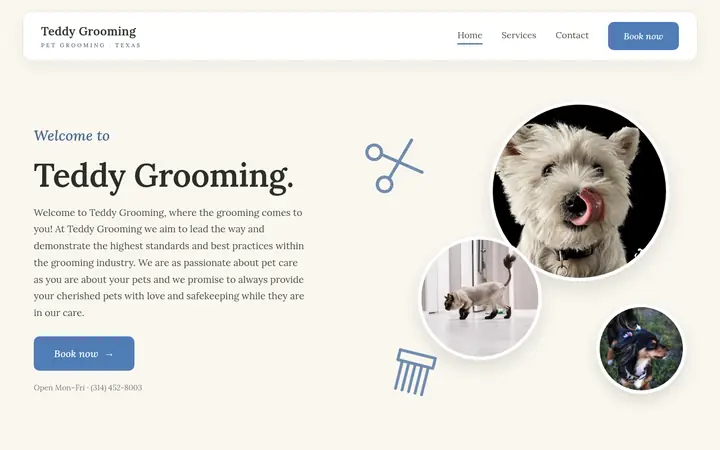
Magnolia
Soft, circular, boutique.
Setup > Booking Website
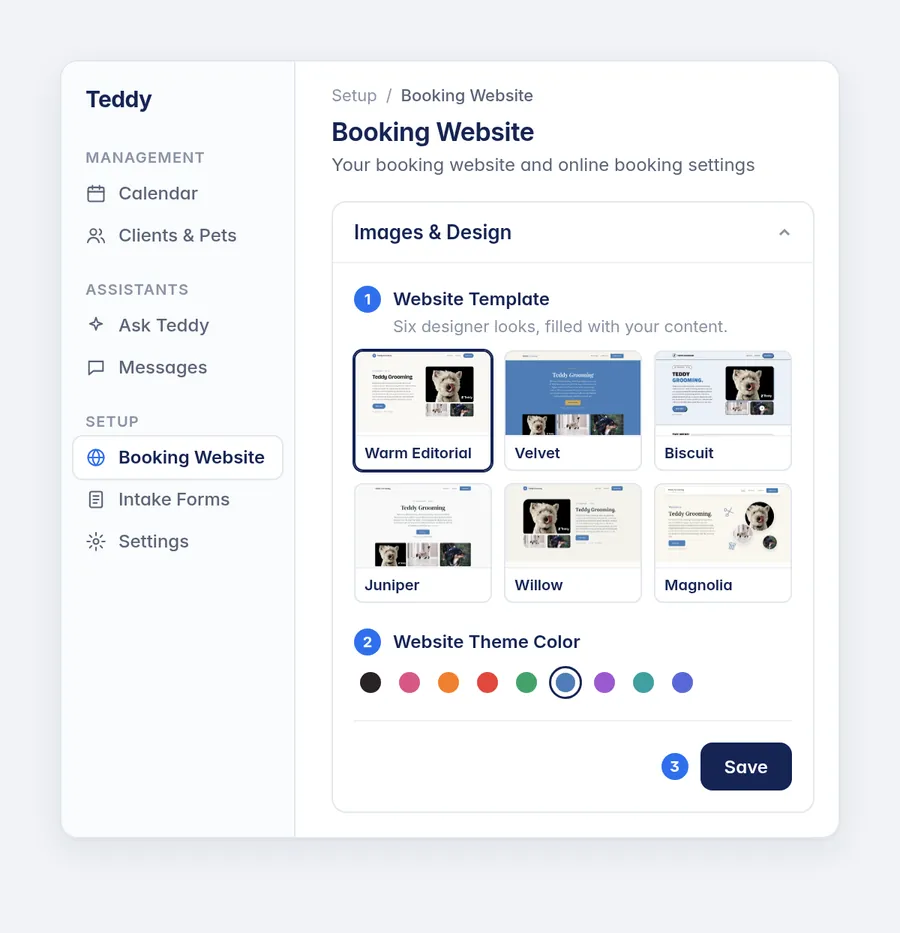
- In Teddy, go to Setup > Booking Website.
- Open Images & Design, then Website Template.
- Pick a template, choose a Website Theme Color, and hit Save.
Everything included
24/7 requests: Clients book any time.
Service selection: They pick what their pet needs.
Client confirmation: They hear back once you approve.
Straight to calendar: Requests flow into your book.
Things you can just ask
How this compares
The other options can hold your data. Teddy is the only one you can just talk to.
Comparison based on publicly available product information. “Varies” means the capability depends on plan or configuration. Check the vendor for current details.
Core and up
Online booking and Booking Websites are included starting on the Core plan at $99/mo per location.
Running a shop floor? See pet grooming software for salons for how Teddy fits brick-and-mortar teams.
Frequently asked questions
Do bookings go live without my approval?
No. Requests land in Teddy for you to review, and you confirm before anything is locked into your calendar.
Can clients book outside my hours?
They can send a request any time, day or night, but they can only pick from the availability you've set.
How is this different from asking Teddy to book?
Asking Teddy is you booking internally. Online booking is your clients booking themselves on your booking page, without a phone call.
Is it on the Budget plan?
No. Online booking and Booking Websites start on Core at $99/mo per location. Budget ($49/mo) covers the assistant, calendar, records, forms, and staff permissions.
Does Teddy give me a website?
Yes. Teddy gives you a Booking Website on Core and up, at no extra charge. It's your shop's own website, with your pictures, pricing, contact info, hours, about us and socials. Choose from 6 designer templates and 9 theme colors.
Can I use a Booking Website without online booking?
Yes. You can use your Booking Website as your shop's website without accepting online booking.
Can I change my template later?
Yes. You can switch templates and theme colors anytime, even after you're live. In Teddy, go to Setup > Booking Website > Images & Design > Website Template.
Try Online Booking free
Start 14 days free, no credit card. We'll load your whole book before day one, so you're up and running from the start.
Get started for free