
How to See Client Notes While You Book in Teddy
When you book in Teddy, the client's newest note shows in the booking window. You can page through older notes without leaving the calendar.

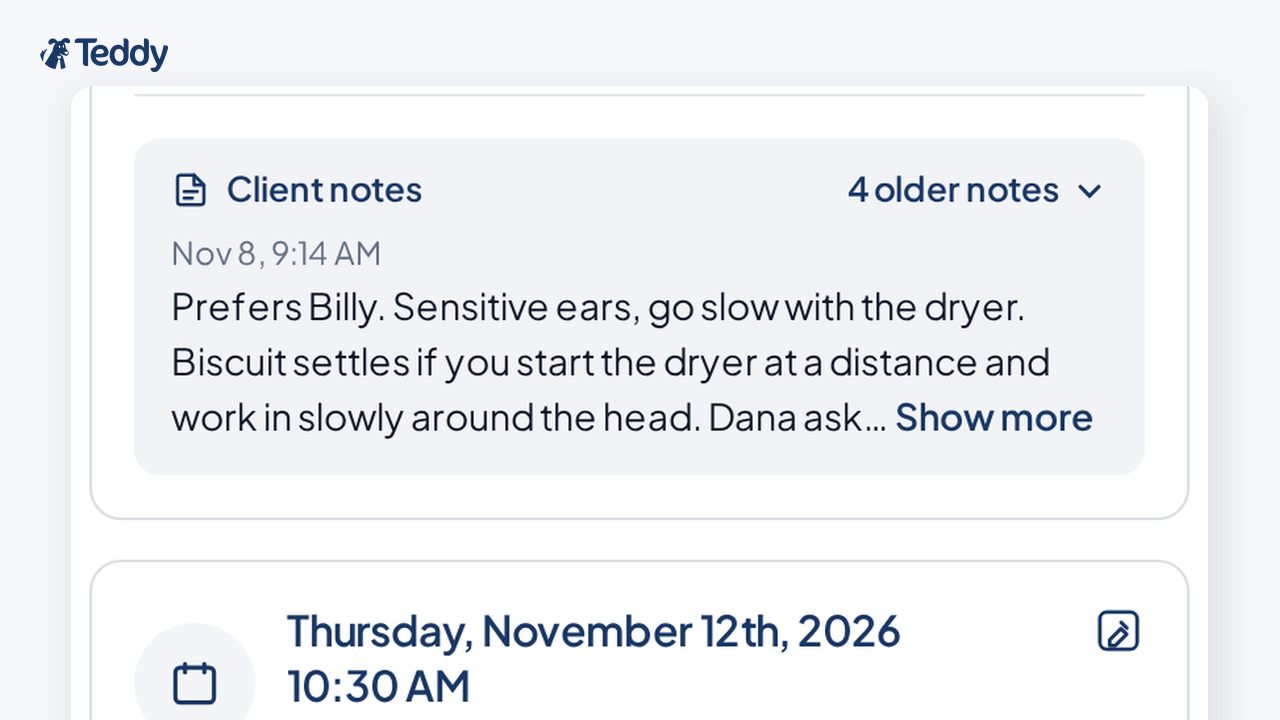


Quick answer: When you book an appointment in Teddy, the client's newest note shows in the booking window by default. You can page through older notes, and if a client has no notes, the section does not show. It works on new and existing appointments, on desktop and mobile.
That means you can keep booking in the calendar and still see what you already wrote down about the client.
Why client notes belong in the booking window
Shops often keep details like a preferred groomer in client notes, for example "prefers Billy." Those notes now show in the booking window, so you can see them while you book without leaving the calendar.
If you want a broader look at what to store on a client file, see how to organize and manage grooming client files.
What you see when you book
When you open the booking window for a client who has notes:
- The newest note shows by default.
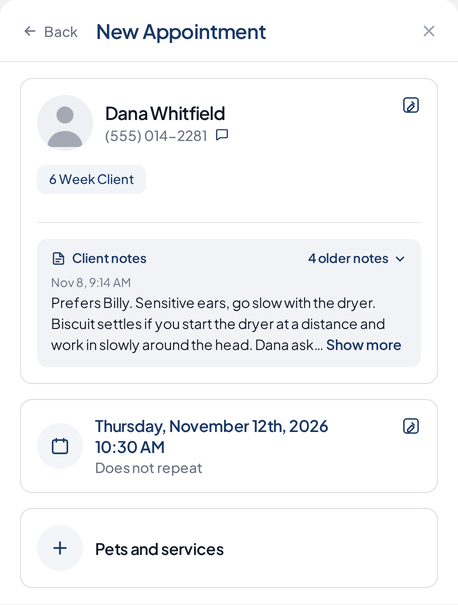
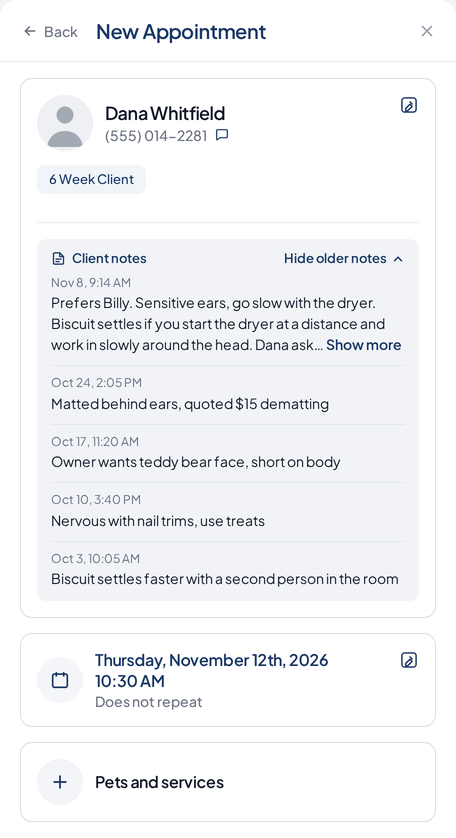
- You can page through older notes.
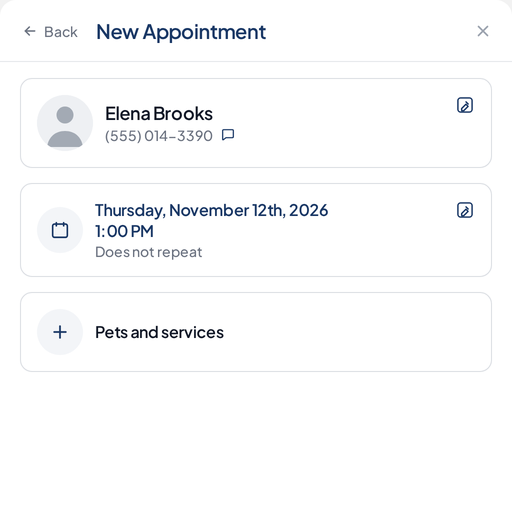
- If a client has no notes, the section does not show.
This works on new appointments and existing appointments, on desktop and on mobile. For more on running the book itself, see how to track grooming appointments in a calendar.
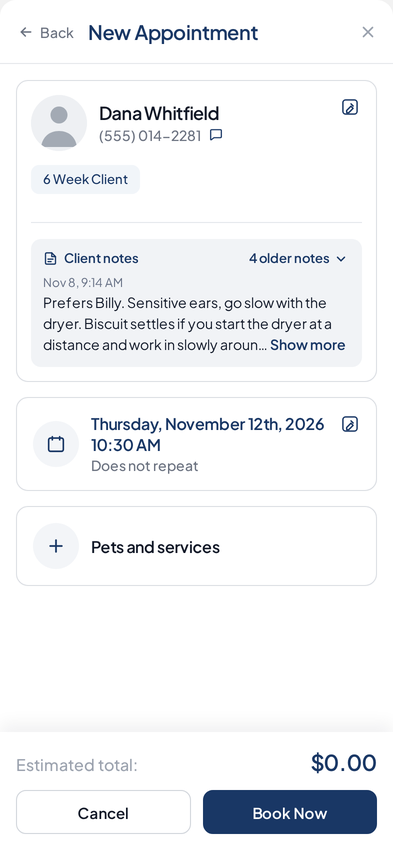
How to see client notes while you book
- Open the booking window for a new appointment or an existing one.
- If the client has notes, the newest note shows by default.
- Page through older notes when you need earlier context.
Client notes still live with your client and pet records. This feature surfaces them in the booking window so you do not have to leave the calendar to read them.
A simple way to use preferred groomer notes
If a client prefers a specific groomer, keep that in the client notes, like "prefers Billy." The next time you book that client, the newest note shows in the booking window, so you can see the preference while you book.
Ready to try it on your own book? Get started for free. No credit card needed.
Frequently Asked Questions
Do client notes show in the booking window?
Yes. When you book an appointment, the client's newest note shows in the booking window by default.
What if a client has no notes?
If a client has no notes, the section does not show.
Can I see older notes, not just the newest one?
Yes. You can page through older notes from the booking window.
Does this work on existing appointments and on mobile?
Yes. It works on new and existing appointments, on desktop and mobile.


