Online Booking You Approve: How 24/7 Booking Requests Work in Teddy
Clients request appointments 24/7. You approve each one before it lands on your calendar.



Quick answer: Teddy's online booking lets clients request grooming appointments 24/7 from your booking page. They pick a service and an open time, the request lands in Teddy under Pipeline > Online Booking Requests, and you schedule or decline it. Nothing goes on your calendar until you schedule it. Online booking is included on Core ($99) and Plus ($199), not Budget.
Phone tag eats a groomer's day. A client calls while you're mid-groom, you call back between dogs, they miss it, and the slot sits empty. Online booking breaks that loop. The worry most groomers have is losing control: a new client books a full groom for a dog that needs twice the time, or someone grabs a slot you were saving.
Teddy's online booking is built around requests, so you get the convenience without giving up your book.
How online booking works in Teddy
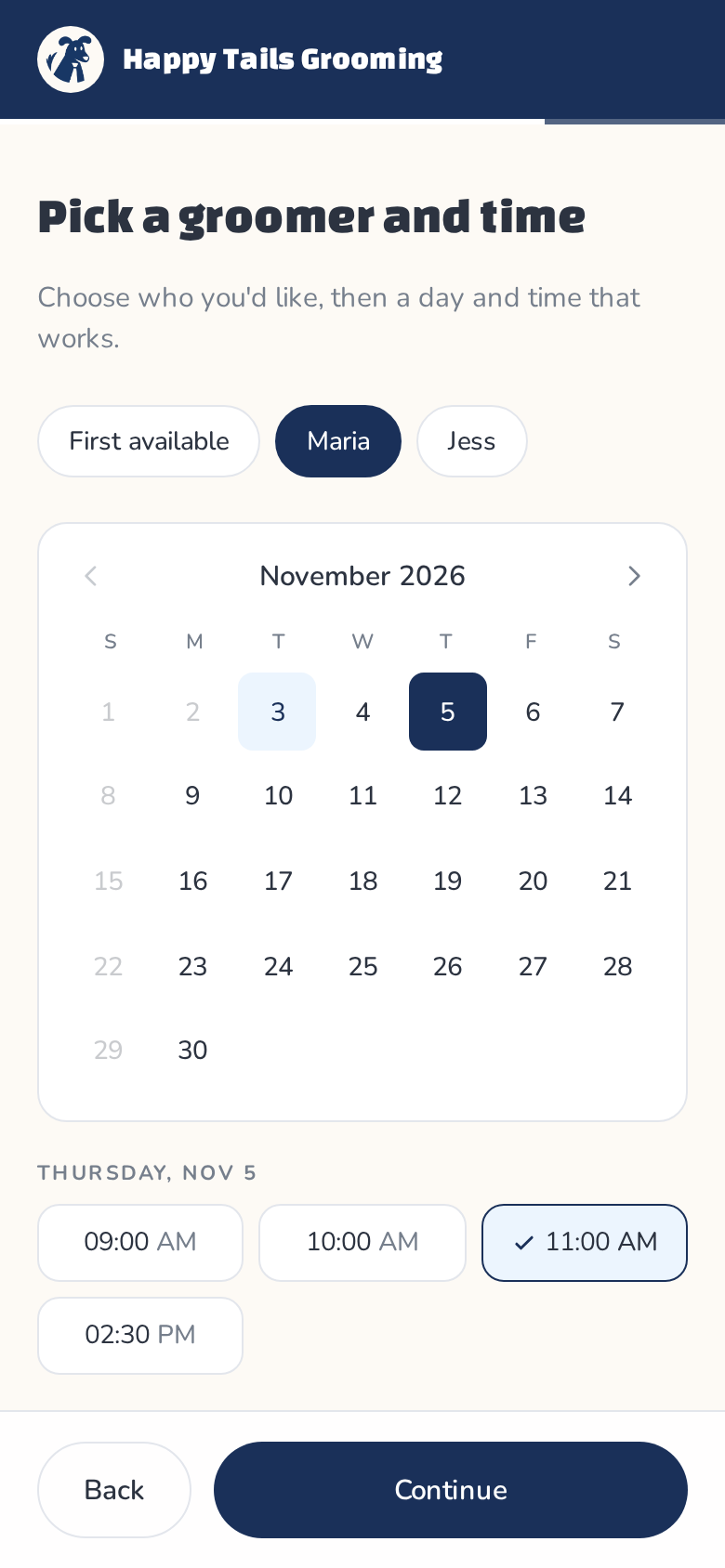
- The client picks a service and a time. On your booking page, they choose what their pet needs, pick a groomer and an open time, then review the request and tap Request appointment. They can only pick from the availability you've set.
- The request reaches you. It lands in Teddy under Pipeline > Online Booking Requests, marked Pending. You can also ask Teddy "What booking requests came in today?"
- You schedule or decline. Tap Schedule to put it on your calendar, or Decline. Nothing is locked in until you say so.


Why requests beat instant booking for groomers
Grooming isn't like booking a haircut. Two dogs with the same breed name can need very different amounts of time. Requests let you look before you commit:
- Check the pet first. Each request shows the client, the pet (with a NEW tag for pets you haven't seen), the service, date, time, staff and any note from the client.
- Protect your durations. If a "quick bath" is really a de-shed on a husky, you can sort it out before the day arrives.
- Keep your favorite slots. You decide what goes where.
- Stay off the phone. Clients send requests while you're grooming, and you handle them when you have a minute.

Open around the clock
Clients book when it suits them, often in the evening after work. With online booking, a request that comes in at 9 PM is waiting for you in the morning instead of turning into a voicemail.
They can send a request any time, day or night, but they can only pick times from the availability you've set. You're never booked outside your hours.
Handle requests by asking
You don't have to dig through screens to work through requests. Ask Teddy:
- "What booking requests came in today?"
- "Schedule the 2pm request from the Millers"
- "Show me this week's online bookings"
Teddy shows you what it's about to do and waits for your okay, the same as every other Ask Teddy action.
What clients see
On a phone, the booking page is short and simple. Clients pick a service, choose a groomer and a time, then review their request. Before they send it, the review step tells them plainly: "This is a request, not a confirmed appointment. Nothing is booked until the shop reviews it and texts you back to confirm the time." They tap Request appointment (or Back to change something). After you schedule it, a confirmation can go out using your own auto message, so they're not left wondering whether the appointment is real. Try it yourself on your own phone before you share the link, so you know exactly what a new client will see.
Confirmations in your own words
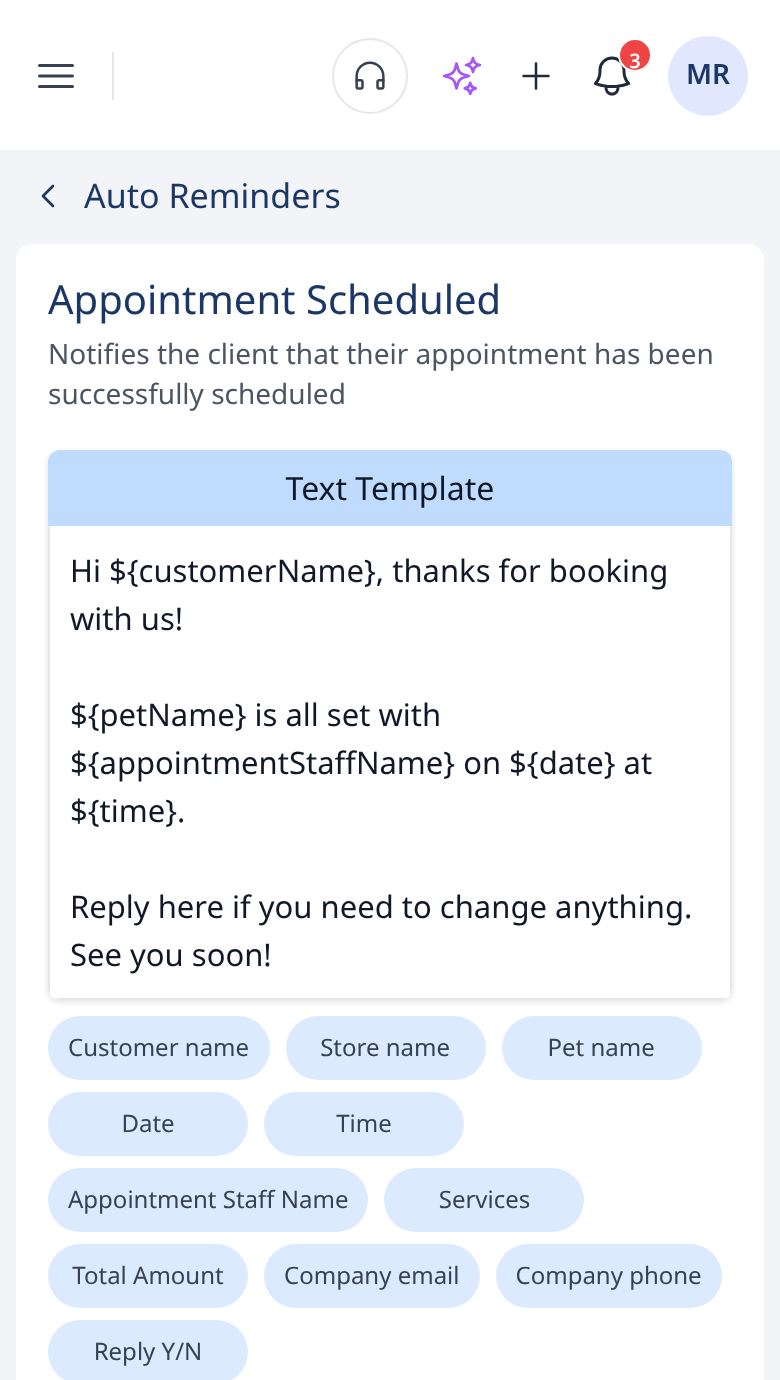
Confirmation texts are auto messages you write yourself, under Communication > Auto Messages. Set the wording once, and variables like the pet's name, the date, the time and the staff member fill in for each client. Write it the way you'd say it at the counter.
Online booking vs. asking Teddy to book
These two get mixed up, so here's the difference:
- Asking Teddy to book is you booking internally. "Book Bella for a full groom Friday at 2." That's on every plan.
- Online booking is your clients booking themselves on your booking page, without a phone call. That's on Core and up.
Getting ready to turn it on
A few things make online booking go smoothly:
- Set up your services with real prices and durations. Teddy saves pricing and duration per service, and those are what clients pick from.
- Set your availability. Clients only see times you've opened.
- Decide how fast you'll respond. Requests work best when clients hear back quickly. A quick check at lunch and at the end of the day keeps things moving.
- Share your booking page. Put it in your Instagram bio, on your Facebook page and in your texts to clients.
Pair it with a Booking Website
On Core and up, Teddy also includes a Booking Website at no extra charge. It's your shop's own website with your pictures, pricing, hours, contact info, about us and socials. Pick 1 of 6 templates and 1 of 9 theme colors. Online booking and the Booking Website work well together, but you can use the website without online booking too. See online booking and Booking Websites.
Which plan includes online booking?
Online booking is included on Core ($99 a month per location) and Plus ($199). It isn't on Budget. Core also adds automated reminders, so once a request is scheduled, reminders go out before the appointment on their own. Compare plans on the pricing page.
Looking at other options? Our guide to the best online booking systems for groomers compares the main choices.
Ready to stop playing phone tag? Get started for free. No credit card needed.
Frequently Asked Questions
Do online bookings go live without my approval?
No. Requests land in Pipeline > Online Booking Requests for you to review. Nothing goes on your calendar until you tap Schedule.
Can clients book outside my hours?
They can send a request any time, day or night, but they can only pick from the availability you've set.
What happens after I schedule a request?
The appointment goes on your calendar. A confirmation can go out to the client using the auto message you wrote under Communication > Auto Messages.
Is online booking on the Budget plan?
No. Online booking and the Booking Website start on Core at $99 a month per location. Budget includes Ask Teddy, the calendar, client records and unlimited texting.
How is this different from asking Teddy to book?
Asking Teddy to book is you booking internally, on every plan. Online booking is clients requesting appointments themselves on your booking page, on Core and up.